
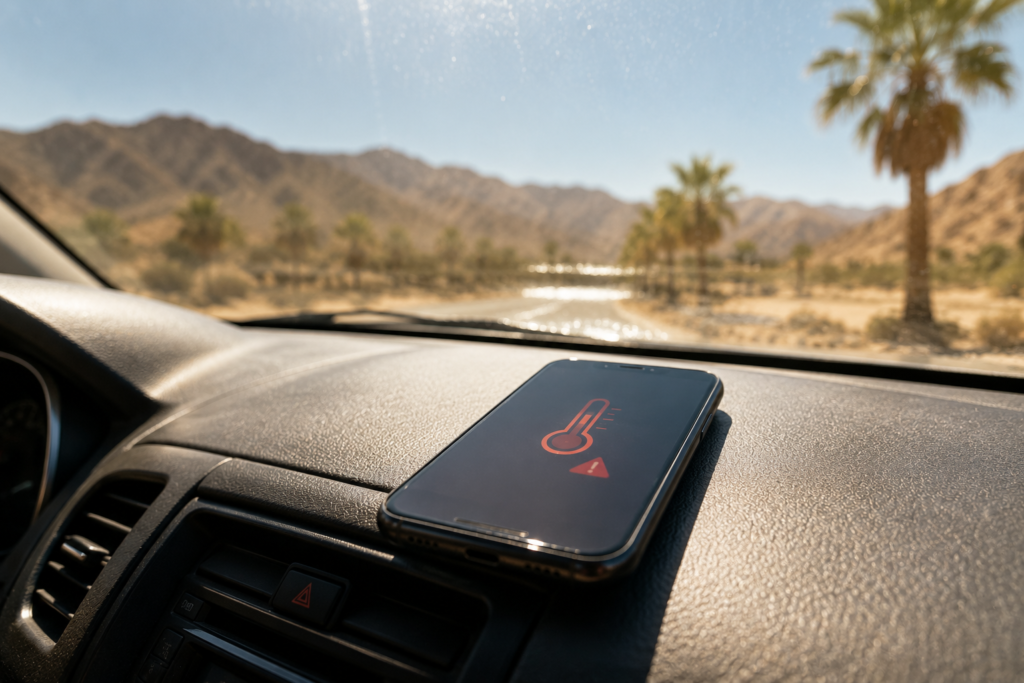
Every July we get the same visitors. Someone walks in holding a phone that was fine yesterday. It’s slow, the battery drops from 60% to nothing in twenty minutes, and there’s a faint discoloured patch near the top of the screen. They didn’t drop it. They didn’t get it wet. They left it on a car seat for two hours.
Las Vegas is one of the hardest places in the country to own a phone, and almost nobody buys one expecting that. Here’s what the heat actually does, how to react when it happens, and how to get through a summer without paying for it.
What 110°F actually does inside your phone
Apple lists the safe operating range for an iPhone as 32°F to 95°F. Most Android manufacturers publish something similar. A normal Las Vegas afternoon in July is above that ceiling before you factor in direct sun, a hot pocket, or a phone that’s already working hard on GPS.
Three separate things start going wrong.
The battery takes damage you can’t undo
This is the big one, and it’s the part people misunderstand. When your phone gets hot and shuts itself off, that shutdown is protection — it’s the phone doing its job. The damage isn’t the shutdown. The damage is the heat itself.
Lithium-ion cells degrade permanently at sustained high temperatures. The chemistry inside ages faster, and the capacity you lose does not come back when the phone cools down. A single bad afternoon in a hot car can cost a measurable chunk of battery life for good. A whole summer of it is why so many Vegas phones are on their last legs by autumn while the same model elsewhere is fine.
If your battery has already gone, a battery replacement is a far cheaper fix than a new phone, and it makes an otherwise healthy device usable again.
The screen is next
Modern displays don’t love heat either. Prolonged high temperatures can cause discoloration, blotchy dark patches, or a hazy area that doesn’t clear when the phone cools. On OLED panels, heat accelerates uneven ageing between the colour subpixels, which is why a heat-damaged screen often looks slightly yellow or pink in one region.
Touch response can also go strange — a digitizer that’s been cooked may register ghost touches or dead zones.
The adhesive gives up
This one surprises people. Your phone is held together and sealed against dust and water with adhesive. That adhesive softens in extreme heat. It’s why phones that have baked in a car sometimes develop a screen that sits slightly proud of the frame, or a back glass panel that lifts at a corner.
Once that seal is compromised, the phone’s water and dust resistance is effectively gone — which matters more than you’d think in a city that gets both blowing dust and sudden monsoon rain.
The three places Vegas phones actually die
The car. A vehicle interior can pass 140°F when it’s 105°F outside, and the dashboard gets hotter still. A phone in a mount in direct sun, running navigation, is being cooked and worked at the same time. This is the single most common heat-damage story we hear.
The pool deck. Concrete around a pool in full sun is dramatically hotter than the air. A phone lying face-up on it, or on a towel on it, is sitting on a hotplate. Add sunscreen on the ports and chlorinated splash, and it’s a bad combination.
The Strip. Four hours of walking with the phone in a pocket against your body, in and out of freezing casinos, camera and maps running the whole time. The repeated hot-cold cycling also drives condensation inside the housing, which is its own problem.
What to do the moment your phone overheats
If you see the temperature warning, or the phone is too hot to hold comfortably:
- Get it out of the sun and turn it off. Move it somewhere shaded and let it power down.
- Take the case off. Cases trap heat. This alone makes a real difference.
- Unplug it. Charging generates heat. Charging a phone that’s already too hot compounds the damage.
- Let it cool on its own, somewhere with airflow. Air conditioning is fine. Patience is the actual fix here.
And two things not to do, both of which we see regularly:
Do not put it in the fridge or freezer. Cooling a hot device fast causes condensation to form inside the housing. You will turn a heat problem into a liquid-damage problem, and liquid damage is worse.
Do not run it under cold water. Same reason, plus the seal may already be compromised by the heat.
The monsoon problem nobody plans for
Vegas summer isn’t only dry heat. Monsoon season brings sudden, heavy rain onto streets and phones that have spent weeks baking.
That’s the sequence that catches people: heat softens the adhesive seal, then the first big storm gets water past a seal that no longer works. The phone often seems fine afterwards. Corrosion doesn’t announce itself — it develops over the following weeks and then something stops working for no apparent reason.
If your phone has been through both a hot summer and a soaking, it’s worth having someone look inside before it fails on its own. Blowing dust does something similar on a smaller scale, packing grit into charging ports and speaker grilles until a cable stops seating properly.
Signs your phone already took heat damage
- Battery percentage falls in sudden jumps rather than gradually
- It shuts down while still showing 20–30% charge
- It gets noticeably warm doing very little
- A discoloured, hazy or blotchy area on the screen that doesn’t clear
- The screen or back glass sits slightly raised from the frame
- Charging has become slow, intermittent, or cable-dependent
Any of these is worth a diagnostic. Most are straightforward repairs if you catch them early, and considerably less straightforward if you wait.
Getting through a Vegas summer intact
- Never leave it in the car. Not in the glovebox, not under a seat. Take it with you.
- Use a light-coloured case, and take the case off when charging on hot days.
- Skip the wireless charger in summer. Wireless charging runs hotter than cable.
- Don’t leave it charging overnight in a warm room.
- Keep it out of direct sun at the pool — a towel over the top of it, not underneath.
- Avoid heavy GPS or gaming use while it’s plugged in and in direct sun.
- Check your battery health occasionally. On iPhone it’s in Settings › Battery. If you’re under 80%, the battery is due.
When to bring it in
We’re at 5905 S Eastern Ave, Unit 107, in Reid Marketplace, and we’re open six days a week. Walk in — no appointment needed — and the diagnostic will tell you whether you’re looking at a battery, a screen, or something deeper. Most repairs are finished the same day, and every repair is covered by a warranty on parts and labour.
We handle iPhone, Samsung and all other Android phones, plus iPads and tablets, laptops and computers, Apple Watch and game consoles — consoles being their own summer casualty, since they’re pulling hot room air through a dust filter all season.
Want a number before you come in? Get an instant quote or contact us and tell us your model.
And if the heat has finished off an older phone for good, we’ll buy it from you — even damaged — or put it toward a tested refurbished replacement.
We serve customers across the valley, including Summerlin, Henderson, Paradise and Spring Valley.
Frequently asked questions
My phone shut off in the heat but works now. Is it damaged? Possibly. The shutdown itself is protective, but the heat that caused it may have cost you battery capacity permanently. If the battery behaves differently afterwards — faster drain, sudden drops — that’s the damage showing.
Can heat damage be repaired? Usually, yes. Heat-damaged batteries and screens are replaceable, and both are common repairs. What’s harder is board-level damage from a phone that was cooked repeatedly over a long period, which is why catching it early matters.
Is it safe to use my phone at the pool? Keep it shaded and out of direct sun on hot surfaces. Water resistance ratings are tested on new devices in controlled conditions — they degrade with age, and heat accelerates that.
How hot is too hot? Above roughly 95°F ambient you’re outside the manufacturer’s stated operating range. In a Las Vegas summer that’s most of the day, so it’s less about avoiding heat entirely and more about avoiding the extremes: cars, direct sun, and charging while hot.
Do you fix water damage from monsoon rain? Yes, and speed matters enormously. Power it off, don’t charge it, and bring it in as soon as you can. Rice does nothing.
Phone struggling in the heat? Walk into Gadget Repair LV on S Eastern Ave for a diagnostic and an honest quote before any work starts.